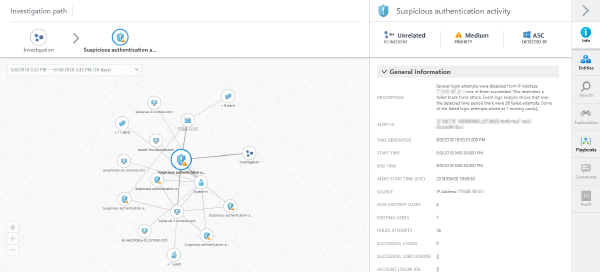
In February I had the chance to attend a session by Yuri Diogenes, Program Manager at Microsoft, on how Azure Security Center works and how to demo it in a real life scenario.
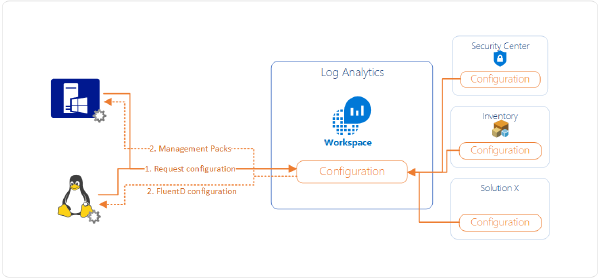
I’ve had a question today coming from a colleague that has no prior experience in System Center Operations Manager (SCOM). He wanted to know how data flows from connected agents (regardless of Windows or Linux) to Log Analytics and subsequently to Azure Security Center.
Security is top of mind for most Azure customers. To have peace of mind when it comes to security for assets running on Azure, Microsoft continuously works to improve on the security recommendations Azure Security Center provides:
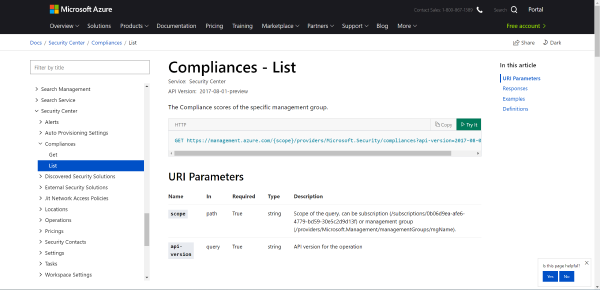
It just has become easier to manage Azure Security Center at scale. While not all aspects of Azure Security Center can be automated yet Microsoft just released updated Swagger definitions for working with Azure Security Center. This includes an updated documentation where you can directly try requests to the API against your tenants you have access to.
Photo by rawpixel on Unsplash Currently billing for Azure Security Center is reported on a per-node, per-month basis. Starting July 1st 2018 this reporting will be changed to per-node, per-hour to achieve more granularity in billing. Billing is still pro-rated thus you’ll only pay for the time a node was actually using the service.
An interesting question came up in a conversation today: How are the costs for Azure Security Center Standard pricing tier calculated for nodes that are stopped?
Around Ignite 2017 Azure Security Center was migrated to use Log Analytics as its foundation both for collecting data through the same agent and storing most of its data.