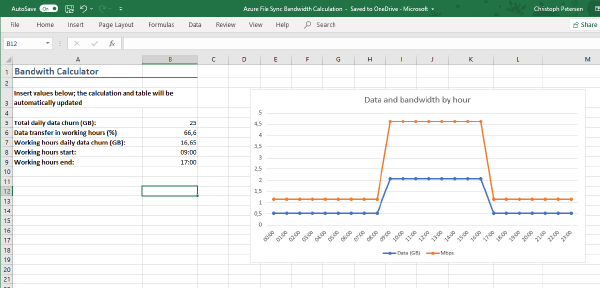
When deploying Azure File Sync one question many customers routinely ask is how the network bandwidth required can be calculated. This depends of course on a variety of factors.
Azure File Sync lets you tier data from on-premises systems to a cloud share based on Azure File. Local nodes can act as hot-caches, caching data based on access and modification patterns. Azure File Sync supports multi-master sync so that you can deploy those caches to multiple offices and replicate data across your organization.
Photo by rawpixel on Unsplash When setting up Azure File Sync one of the requirements is to have the Azure PowerShell Cmdlets (AzureRM) installed. Many customers have proxies deployed which control internet egress. Many of these also use authentication to secure internet access.