
When migrating server instances to Google Cloud or installing SQL Server on an existing instance in Google Compute Engine (GCE), you may want to use PAYG licensing. To ensure compliant billing for PAYG, the corresponding SQL Server license string must be attached to the VM’s boot disk.
Compute Engine allows you to append licenses directly to an existing disk without recreating the disk or redeploying the instance.
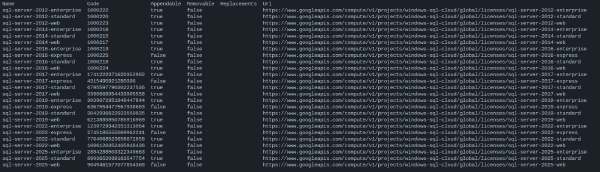
In the examples below, we will use the sql-server-2025-standard license (https://www.googleapis.com/compute/v1/projects/windows-sql-cloud/global/licenses/sql-server-2025-standard). For a full reference on finding the right licensing strings for your SQL Server version and edition, see Retrieving licensing strings for use with Google Compute Engine.
removableFromDisk: false).Appending the license using gcloud#
After stopping the VM, use gcloud compute disks update with the --append-licenses flag to attach the sql-server-2025-standard license to the boot disk:
disk="sql-vm-boot-disk"
zone="europe-west4-a"

gcloud compute disks update ${disk} \
  --zone ${zone} \
  --append-licenses "https://www.googleapis.com/compute/v1/projects/windows-sql-cloud/global/licenses/sql-server-2025-standard"
Verifying the attached licenses#
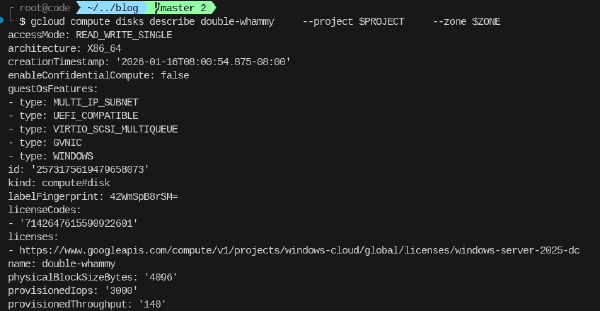
Once the update operation completes, you can inspect the licenses attached to the disk using gcloud compute disks describe:
disk="sql-vm-boot-disk"
zone="europe-west4-a"

gcloud compute disks describe ${disk} \
  --zone ${zone} \
  --format "json" | jq -r '.licenses[]'
Resulting in the following output:
https://www.googleapis.com/compute/v1/projects/windows-cloud/global/licenses/windows-server-2025-dc
https://www.googleapis.com/compute/v1/projects/windows-sql-cloud/global/licenses/sql-server-2025-standard